





Richard Lamacraft
Chief Technologist - Microsoft
Richard Lamacraft Linked In
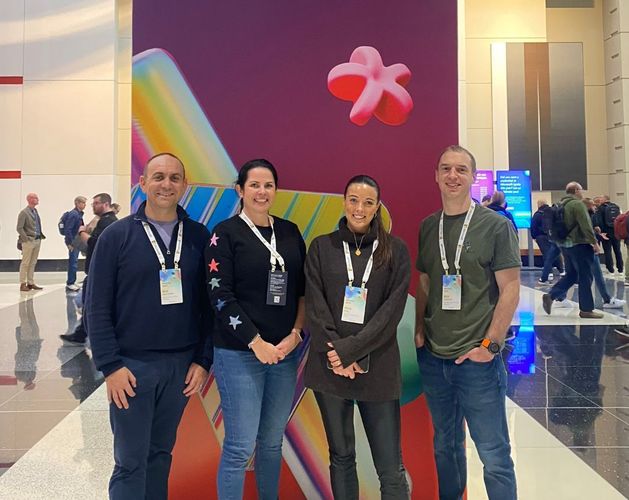
Microsoft Ignite 2024 was a landmark event, bringing together over 14,000 attendees in Chicago and more than 200,000 virtual participants. Held from November Tuesday 19 to Thursday 21 November, the event featured over 800 sessions, demos, and expert-led labs showcasing the latest advancements in technology and innovation.
If you haven’t already, please check out this quick overview of the key announcements. In this follow-up article, we’ll discuss these announcements in more depth and explore what they mean to Softcat and our customers.
Copilot
The pace of change in Copilot over the last 12 months has been staggering and shows no sign of slowing down. Microsoft specifically highlighted the improvements to Copilot - responses are two times faster on average, response satisfaction is nearly three times higher, and hundreds of new features have been shipped.
Copilot is being framed as the UI for AI, and ‘agents’ were the star of the show in the keynote. In Microsoft’s words: “Empower every employee with Copilot and transform every business process with an agent”
To help get customers started, five pre-built agents will be coming to M365 Copilot in early 2025. They support users by performing specific roles:
- Facilitator agent: assists in Teams meetings and chats by taking real-time notes, organising them by topics and follow-up tasks, and maintaining an up-to-date summary of important information. This helps improve collaboration and meeting efficiency.
- Interpreter agent: offers real-time speech-to-speech interpretation in Teams meetings, supporting multiple languages. This helps overcome language barriers and provides a more inclusive experience.
- Project Manager agent: automates project management tasks in Planner, from plan creation to task execution. It tracks progress, sends reminders, and can complete tasks, making project management more efficient.
- Employee Self-Service agent: provides real-time answers and actions on HR and IT topics within Copilot Business Chat. It helps employees with tasks like requesting paid leave, opening IT helpdesk tickets, and accessing benefits information.
- SharePoint agents: provide real-time information and insights from SharePoint sites, helping users quickly access relevant guidance and onboarding materials. Users can also create customised agents for specific projects or tasks.
Business processes that aren’t covered by these pre-built agents can be created with Copilot Studio, using the large number of connectors for integration with non-Microsoft products. Copilot Studio is now available on a PAYG subscription through Azure, for customers that want a low-commitment way to create their own agents.
Copilot actions
Copilot actions enable the scheduling of repeatable tasks supported by Copilot. For instance, it can be used to automatically write an end-of-week email summary of team activities or, upon receiving an email with performance metrics, automatically place them in a PowerPoint template and schedule a meeting to present to key stakeholders.
SharePoint Advanced Management
As we’ve found from working with customers on Copilot readiness, SharePoint document controls are a major part of a successful rollout. SharePoint Advanced Management (SAM) can help by:
- Reducing accidental oversharing
- Ensuring valid site ownership
- Managing content lifecycles
- Controlling content access
- Suggesting proactive measures such as Sensitivity Labels and DLP policies
Currently, this is available at an additional cost via a SharePoint Premium add-on. From January 2025, SAM will be included for free for customers with a Microsoft 365 Copilot license. This means that organisations with Copilot licensing will have access to all SAM features without needing additional licenses.
Azure AI Foundry
Azure AI Foundry is a platform designed to accelerate AI development, providing a comprehensive suite of tools and services that support the entire AI lifecycle. From data preparation to model deployment, Azure AI Foundry is set to accelerate an organisation’s development of bespoke AI solutions.
Comprehensive AI lifecycle support
One of the standout features of Azure AI Foundry is its end-to-end support for the AI lifecycle. This includes:
- Data preparation: efficiently preparing and managing data is crucial for successful AI projects. Azure AI Foundry offers robust tools for data ingestion, cleaning, and transformation, ensuring that data scientists and engineers can work with high-quality datasets.
- Model development: the platform provides a rich set of tools for building and training AI models. With integrated support for popular frameworks like TensorFlow and PyTorch, developers can leverage the best tools available to create cutting-edge models.
- Model deployment: deploying AI models into production can be a complex process. Azure AI Foundry simplifies this with seamless integration into Azure's cloud infrastructure, enabling scalable and reliable deployment of AI solutions.
Accelerating innovation with pre-built models
To further accelerate AI development, Azure AI Foundry includes a library of pre-built models. These models, developed by Microsoft’s AI experts, cover a wide range of use cases, from natural language processing to computer vision. Organisations can leverage these pre-built models to jumpstart their AI projects, reducing the time and effort required to develop custom solutions.
Democratising AI with low-code/no-code solutions
Azure AI Foundry is also committed to democratising AI by making it accessible to a broader audience. The platform includes low-code and no-code solutions that allow users with limited technical expertise to build and deploy AI models. This empowers business leaders and domain experts to directly contribute to AI initiatives, fostering a culture of innovation across the organisation.
Integration with the Azure ecosystem
A key advantage of Azure AI Foundry is its seamless integration with the broader Azure ecosystem. This includes:
- Azure machine learning: Azure AI Foundry integrates with Azure Machine Learning, providing advanced capabilities for model training, experimentation, and management.
- Azure Cognitive Services: the platform also connects with Azure Cognitive Services, enabling developers to incorporate pre-built AI capabilities such as speech recognition, language understanding, and image analysis into their applications.
- Azure Data Services: with integration into Azure Data Services, organisations can easily access and manage their data, ensuring that AI models are built on a solid foundation of high-quality data.
Security and compliance
Azure AI Foundry is built with security and compliance at its core. The platform adheres to Microsoft’s stringent security standards, ensuring that data and models are protected throughout the AI lifecycle. Additionally, Azure AI Foundry supports compliance with industry regulations, making it suitable for use in highly regulated sectors such as healthcare and finance.
Real-world applications and success stories
Azure AI Foundry is already making a significant impact across various industries. Here are a few examples:
- Healthcare: in the healthcare sector, organisations are using Azure AI Foundry to develop predictive models that improve patient outcomes. For instance, AI models can predict patient readmissions, enabling healthcare providers to take proactive measures and reduce hospital stays.
- Retail: retailers are leveraging the platform to enhance customer experiences through personalised recommendations and inventory optimisation. By analysing customer data, AI models can predict purchasing behaviour and optimise stock levels, ensuring that popular products are always available.
- Manufacturing: in manufacturing, Azure AI Foundry is being used to develop predictive maintenance solutions. By analysing sensor data from machinery, AI models can predict equipment failures before they occur, reducing downtime and maintenance costs.
Azure Local
Azure Local is a suite of services that extends Azure’s capabilities to on-premises and edge environments. It allows organisations to run Azure services and manage resources in their own data centres or at the edge, providing the flexibility to operate in hybrid and multi-cloud environments. This service is particularly beneficial for industries that require low-latency processing, such as manufacturing, healthcare, and retail.
Key features of Azure Local
- Seamless Integration with Azure: Azure Local integrates seamlessly with the broader Azure ecosystem, allowing IT professionals to use familiar tools and services. This includes Azure Arc, which provides unified management across hybrid and multi-cloud environments.
- Enhanced security and compliance: with Azure Local, data remains within the organisation’s premises, ensuring compliance with data sovereignty and regulatory requirements. Microsoft’s robust security framework also extends to Azure Local, providing advanced threat protection and data encryption.
- Scalability and flexibility: Azure Local supports a wide range of workloads, from AI and machine learning to IoT and real-time analytics. It offers the scalability of the cloud with the control of on-premises infrastructure, enabling businesses to scale their operations efficiently.
- Optimised performance: by processing data closer to the source, Azure Local reduces latency and improves application performance. This is crucial for applications that require real-time processing and decision-making.
- Cost efficiency: Azure Local helps organisations optimise their cloud spending by allowing them to choose the most cost-effective deployment model. Businesses can leverage their existing infrastructure while benefiting from Azure’s advanced capabilities.
Possible use cases for Azure Local
Manufacturing
In the manufacturing sector, Azure Local can be used to monitor and analyse data from IoT devices in real-time, improving operational efficiency and reducing downtime. For example, predictive maintenance can be performed on machinery, preventing costly breakdowns.
Healthcare
Healthcare providers can use Azure Local to process patient data locally, ensuring compliance with privacy regulations and improving the speed of critical applications such as telemedicine and patient monitoring systems.
Retail
Retailers can deploy Azure Local to enhance customer experiences through real-time inventory management and personalised marketing. By processing data at the edge, retailers can respond quickly to changing market conditions and customer preferences.
Windows 365 Link
Microsoft showcased its new, single-purpose Thin Client for Windows 365. This is the first Cloud PC device designed to connect securely to Windows 365 in seconds. It offers a responsive, high-fidelity Windows desktop experience in the Microsoft Cloud and is simple to manage using Microsoft Intune.
Windows 365 Frontline shared mode
Windows 365 is now available in shared mode. This feature allows for brief, ad-hoc tasks with a secure, non-personalised desktop environment, that can be shared among a group of users – for example warehouse or hospitality environments.
Enhancing security with Windows Hot Patch and Windows Server Hot Patch
A long-awaited update, Microsoft’s Windows Hot Patch and Windows Server Hot Patch offer seamless updates without the need for system reboots.
Windows Hot Patch is designed to apply critical updates to Windows 11 systems without interrupting user productivity. This feature ensures that security vulnerabilities are addressed promptly, reducing the window of exposure to potential threats. By eliminating the need for frequent reboots, Windows Hot Patch enhances the user experience, allowing for continuous workflow and minimising downtime.
On the data centre side, Windows Server Hot Patch brings similar benefits to server environments. It allows administrators to apply updates to Windows Server systems without requiring a restart. This is particularly beneficial for businesses that rely on high availability and cannot afford downtime. With Windows Server Hot Patch, critical updates are applied in real-time, ensuring that servers remain secure and operational.
The full list of updates can be found in the Ignite Book of News. If you’d like to find out how these updates can specifically benefit your organisation, please book a call with one of our Microsoft specialists. Speak to your Softcat Account Manager or contact our Sales team to get started.